


FreeCell Solitaire: Card Games
4.640.88K Reviews
App Specs
- Version
- 7.1.2.5031
- Updated On
- License
- Free
- Downloads
- 10,000,000+
- Developer
- MobilityWare
- Categories
- Card
- Platform
- Android, iOS
Screenshots
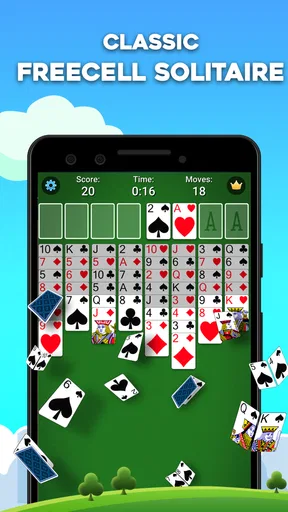
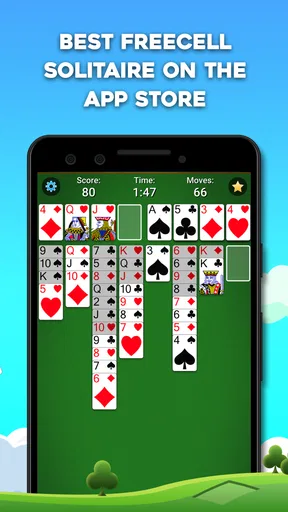
 Analysis by AppCompare
I reach for FreeCell when I have a few spare minutes and want a puzzle that rewards attention more than quick reflexes. MobilityWare’s card game keeps the familiar FreeCell layout at its center, so the appeal is easy to understand: arrange the cards, plan a route through the tableau, and try not to block the moves you may need later. It suits short breaks, but a difficult deal can also hold my attention for longer than I expect.
What you’re paying for—and what you aren’t
The game is free to download, and it includes optional in-app purchases priced from $1.99 to $29.99 per item. That gives you a clear starting point: you can try the basic experience without paying, while purchases are a separate consideration. I wouldn’t treat the presence of in-app purchases as proof that you need to spend to play; equally, I’d check the purchase screen carefully before confirming anything if you’re trying to keep the game entirely free.
It’s a card game rated for Everyone, and the app has been available since September 15, 2011. Its current version is 6.9.1.4737, with Android support starting at version 8.0. MobilityWare is the developer. Those details make it a straightforward option for someone looking for a long-running, familiar solitaire format rather than a story-driven game or a broader card collection.
Progress without turning every deal into a test
FreeCell’s progress is less about unlocking a campaign and more about improving how you read a layout. The open cells give you temporary places to park cards, but they are limited breathing room, not spare storage. I’ve found that the useful question is not simply, “Can I move this card?” It’s, “If I move it now, will I have room to uncover the sequence I need next?” That small pause makes the game feel thoughtful without making it slow.
Hints and undo can make a real difference when I’m learning or when I’ve made a move too quickly. I use a hint as a nudge rather than a command: it can reveal a possibility, but I still want to understand why the move helps. Undo is handy for testing a line of play, though repeatedly backing out of every uncertain choice can turn a satisfying puzzle into trial and error. For a better learning habit, I try one plan, inspect what it changed, and undo only when I’ve spotted a concrete mistake.
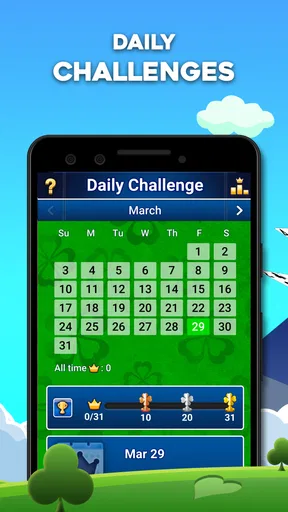
There are also daily challenges, which give me a reason to return when I don’t want to choose a deal myself. They add a little routine and a point of comparison with other players, but they aren’t essential to enjoying the core game. If you prefer calm solo play, you can ignore the competitive angle and still get the main FreeCell experience.
A familiar card puzzle, with a few trade-offs
I like how FreeCell turns a familiar deck into a puzzle about keeping options open. The game is most satisfying when I pause before using a free cell, because that temporary space can be more valuable a few moves later. That small planning habit is also a good way to tell whether this version’s deliberate pace suits you before deciding how much time to spend with it.
Worth Reading Before You Choose

EA SPORTS FC Mobile 26 Is a Bigger Football Game, but It Takes Time

Flipboard Shows What News Apps Must Do Beyond the Feed

Switching to Android Auto Means Rethinking Your Driving Routine

Google Calendar Makes a Crowded Week Easier to Manage

Ludo King Makes the Most of the Minutes Between Plans

Baby Panda World Brings Quick Play to Modern Phones, but Its Game Library Feels Busy
How it feels in ordinary play
The layout is easy to scan, and dragging cards makes the basic interaction feel natural. I appreciate that FreeCell asks me to think several moves ahead without demanding fast taps. A useful everyday session might be one deal while waiting for a bus or unwinding after work: I can stop when I need to, then return to the same kind of focused problem whenever I have another gap in my day.
One practical tip is to avoid filling every free cell just because a move is available. Keeping one open can preserve flexibility, especially when you need to move a longer run of cards. I also try to uncover low cards and build a path toward the foundations instead of moving cards there automatically whenever possible. That approach doesn’t guarantee a win, but it helps me avoid the common trap of making the tableau look tidy while leaving no useful moves.
Who will enjoy it—and who may prefer something else
I’d recommend this to someone who already likes solitaire and wants a focused FreeCell game with hints, undo, visual customization, and optional daily challenges. It’s also a good fit for players who want a quiet, mostly self-paced puzzle rather than a game built around rapid rounds or elaborate progression. The average rating is 4.5 from around 335,000 ratings, and it has over 10 million installs, which suggests that many people have found this style of play worth keeping on their phones.
If you mainly want the variety of Klondike Solitaire, this may feel too deliberate: FreeCell’s open cells and planning are the point, but they can make each deal feel more like a logic exercise than a quick card shuffle. Someone looking for a head-to-head card game may also be better served by a title designed around direct competition. Here, the challenge is primarily with the layout and your own decisions, even when a leaderboard or daily challenge gives you a reason to compare progress.
Fair play, spending, and what to check
My view of the purchase setup is simple: the game is free, and optional purchases fall within a stated range, but that alone doesn’t tell me what each item contains or whether any purchase changes the playing experience. I wouldn’t assume that buying something improves your chances, nor would I assume every feature is available without limits beyond what I’ve actually seen. If a specific item matters to you, read its description in the app before paying.
The same cautious approach applies to questions about ads, account requirements, or how challenge results are handled. Those details aren’t established here, so I won’t guess. In practice, I’d install it, try a few ordinary deals, and check the relevant in-app screens if those points affect your decision. That’s more useful than treating a familiar solitaire name as a guarantee that every version works the same way.
My take after weighing the trade-offs
MobilityWare’s FreeCell is a sensible pick when I want a recognizable card puzzle that makes me think without asking for a big time commitment. Hints and undo can soften the learning curve, while the daily challenges and leaderboard give more goal-oriented players something extra to chase. The main limitation is also the game’s defining feature: it stays focused on FreeCell, so anyone who wants a steady stream of different card modes or social competition may want another kind of game.
For a free starting point, that focus works in its favor. I’d suggest trying it if you enjoy planning moves and are happy to make your own challenge; I’d skip it if you find deliberate solo puzzles frustrating or want a more varied card-game collection. The game has 41,000 reviews, and its Everyone rating makes it approachable for a broad audience, but the best test is still whether you enjoy thinking through a deal one decision at a time.
Hey there, card game enthusiasts! If you've been longing for a classic card game experience right on your phone, then FreeCell Solitaire: Card Games might just be your next download. As someone who has spent countless hours shuffling through virtual decks, I was pretty stoked to dive into this app and see what it has to offer. Spoiler alert: it did not disappoint.
Getting Started with FreeCell
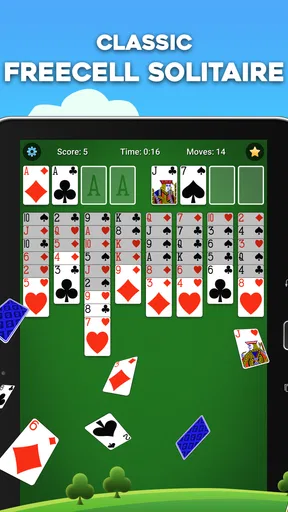
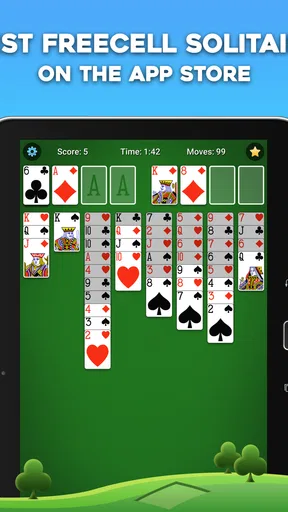
First off, let’s talk about how easy it is to jump into the game. The installation process was a breeze, and within minutes, I was greeted by a clean, intuitive interface. If you’ve played FreeCell before, you’ll feel right at home. For those new to the game, don’t worry—the app is super welcoming with a handy tutorial that walks you through the basics. It’s like having a friendly card-playing buddy right there with you.
Features Galore
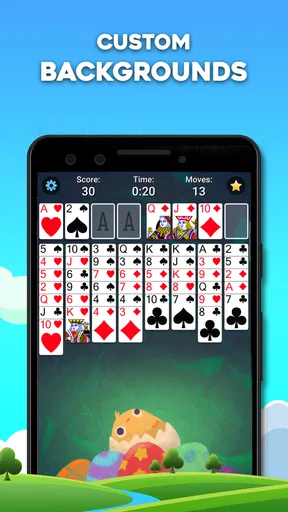
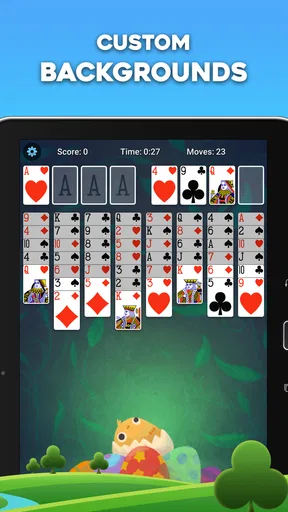
One of the first things I noticed about FreeCell Solitaire: Card Games is its plethora of features. Seriously, this app is packed! You get unlimited free hints and undo options, which I found incredibly useful when I was stuck in a tricky spot. The customization options are pretty neat too. You can choose from a variety of card designs and backgrounds to suit your mood. I went with a classic green felt table, but there are plenty of vibrant options if you’re feeling adventurous.
Oh, and did I mention the daily challenges? These are a fantastic way to test your skills and earn some bragging rights. Completing challenges rewards you with points and, let’s be real, who doesn’t love a little friendly competition? Whether you’re a seasoned pro or just starting out, these challenges are a great addition.
Smooth Gameplay
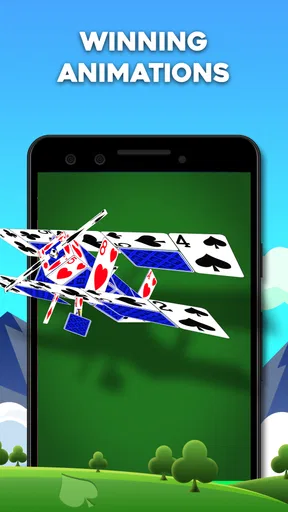
Now, let’s talk gameplay. The controls are silky smooth, making it easy to drag and drop cards with precision. The animations are fluid, and everything runs like a charm. I didn’t encounter any lag or glitches, which is always a plus in my book. The game’s performance is definitely one of its strong suits, keeping you immersed without any frustrating interruptions.
The game’s AI is also worth mentioning. It’s clever, but not too clever, if you know what I mean. It offers a nice balance of challenge and playability, keeping you engaged without feeling overwhelmed. I found myself coming back for more, trying to beat my own records and climb up the leaderboard.
Accessibility and Community
Another aspect I appreciated was the app’s accessibility. FreeCell Solitaire: Card Games is available on both Android and iOS, so you can enjoy it on whatever device you prefer. The app also supports offline play, making it perfect for those moments when you’re stuck without Wi-Fi and need some entertainment.
Plus, there’s a vibrant community of players out there. Whether you’re looking for tips, tricks, or just a bit of camaraderie, you’ll find plenty of fellow card sharks ready to chat. The app also has a handy feedback section, so if you have any thoughts or suggestions, the developers are all ears.
Final Thoughts
All in all, I have to say, FreeCell Solitaire: Card Games is a stellar choice for anyone who loves a good card game. It’s got all the features you could want, wrapped up in a smooth, user-friendly package. Whether you’re a FreeCell fanatic or just looking for a fun way to pass the time, this app is definitely worth a download.
So, what are you waiting for? Shuffle up and deal, and see if you can master the art of FreeCell! Happy playing!
Pros
- Intuitive interface with smooth navigation.
- Offers daily challenges for added fun.
- Customizable card backs and themes.
- Offline play available
- no internet needed.
- Minimal ads for an uninterrupted experience.
Cons
- Limited hints for beginners.
- No multi-language support.
- In-app purchases can be pricey.
- Basic graphics may feel outdated.
- Lacks multiplayer mode for competition.
FAQs for FreeCell Solitaire: Card Games
What is FreeCell Solitaire: Card Games and how does it differ from regular Solitaire?
FreeCell Solitaire: Card Games is a classic card game where all cards are dealt face-up at the beginning, allowing for strategic play. Unlike regular Solitaire, FreeCell requires more strategic planning as there are fewer chances of getting stuck, given that every game is winnable with the right moves.
Is FreeCell Solitaire: Card Games available for both Android and iOS devices?
Yes, FreeCell Solitaire: Card Games is available for download on both Android and iOS platforms. Users can find it on the Google Play Store for Android devices and the Apple App Store for iOS devices. This ensures a wide accessibility for mobile gamers.
Does FreeCell Solitaire: Card Games include any in-app purchases?
While FreeCell Solitaire: Card Games is free to download and play, it may offer in-app purchases. These typically include options to remove ads, purchase hints, or unlock additional features. Users should check the app’s store page for specific details on available purchases.
Does FreeCell Solitaire: Card Games require an internet connection to play?
No, FreeCell Solitaire: Card Games does not require an internet connection for gameplay. Players can enjoy the game offline, making it a great option for playing during commutes or in areas with limited internet access. However, some features like daily challenges may require connectivity.
Are there any customizable features in FreeCell Solitaire: Card Games?
Yes, FreeCell Solitaire: Card Games often includes customizable features such as different card designs, backgrounds, and themes. Players can personalize their gaming experience to suit their preferences, enhancing the visual appeal and making the game more engaging.


